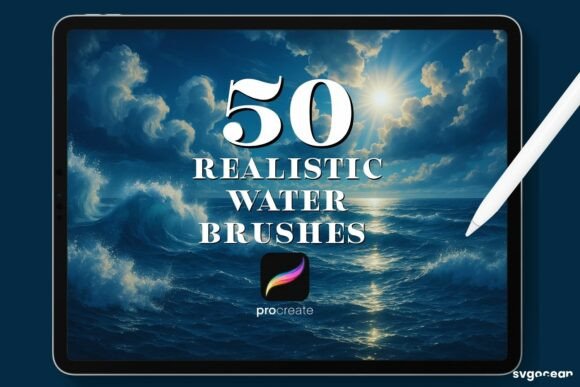
Mastering Digital Fluidity with Water Procreate Brushes
Digital art has evolved significantly, moving beyond simple vector lines and flat colors to emulate the organic unpredictability of traditional media. For artists working on the iPad, the gap between physical paint and digital pixels often lies in the texture and behavior of the brush engine. This is where specialized tools like Water Procreate Brushes become essential assets in a creator’s workflow. Designed specifically for the Procreate application, these brushes aim to replicate the translucent, flowing characteristics of watercolor and liquid media, offering a level of control and realism that standard round brushes simply cannot achieve.
The appeal of water-based digital media lies in its versatility. It allows for soft blends, hard edges, granulation, and wet-on-wet effects that are crucial for illustrators, concept artists, and hobbyists alike. However, achieving these effects manually can be time-consuming and technically demanding. A well-configured brush set simplifies this process, allowing the artist to focus on composition and color theory rather than fighting against the software’s default settings. The Water Procreate Brushes collection addresses this need by providing a curated set of tools that respond dynamically to pressure and tilt, mimicking the natural behavior of water on paper.
Technical Compatibility and File Structure
Before integrating any new asset into your workflow, understanding its technical requirements is paramount. These brushes are distributed in the .brushset format, which is the native packaging format for Procreate. This ensures that all brush settings, including grain, shape, dynamics, and Apple Pencil sensitivity, are preserved exactly as the creator intended. It is important to note that this file type is only compatible with the Procreate app on iPadOS. Users attempting to use these files in Photoshop, Clip Studio Paint, or other desktop applications will find them incompatible, as the underlying brush engines differ significantly.
The delivery method is straightforward and designed for immediate access. Upon purchase confirmation, users receive an email containing a secure download link. The package consists of a single .brushset file. This simplicity reduces friction during the setup process. There are no complex installations, plugin dependencies, or multiple folders to organize. Once downloaded, the file can be imported directly into Procreate, making it an efficient solution for professionals who value streamlined workflows.
Usability and Integration Workflow
The ease of use is a critical factor for any digital tool. The installation process for Water Procreate Brushes is intuitive, even for those new to custom brush management. After downloading the file to your iPad, the integration requires just a few taps:
- Locate the downloaded
.brushsetfile in your Files app or Downloads folder. - Tap on the file. If Procreate is installed, it should automatically open the application.
- Procreate will prompt you to import the brush set. Confirm the action, and the brushes will appear in your brush library, typically in a new folder named after the set.
This seamless integration means that artists can begin experimenting with the tools within minutes of purchase. The brushes are designed to be "clean and easy to use," meaning they do not require extensive tweaking to produce desirable results. While experienced users may choose to adjust opacity, flow, or size limits to suit their specific style, the default configurations are optimized for immediate productivity. This balance between out-of-the-box functionality and customizability is a hallmark of high-quality digital assets.
Performance and Artistic Flexibility
In practical application, the strength of Water Procreate Brushes lies in their responsiveness to the Apple Pencil. The brushes leverage Procreate’s advanced brush engine to simulate the physical properties of water. When using these tools, artists will notice how the digital pigment spreads, pools, and dries based on stroke speed and pressure. This dynamic behavior allows for the creation of realistic textures, such as the rough edge of a drying wash or the soft bleed of wet-on-wet techniques.
One of the most significant advantages of this digital approach is the ability to manipulate color and opacity without the constraints of physical materials. Users can apply these brushes in any color spectrum, adjusting opacity levels to build depth gradually. This flexibility is particularly valuable for commercial illustrators and marketers who need to match specific brand colors or create layered compositions quickly. Unlike traditional watercolor, where mistakes are difficult to correct, digital water brushes allow for non-destructive editing. Layers can be adjusted, erased, or blended using Procreate’s robust suite of tools, providing a safety net that encourages experimentation.
The consistency of the brushes is another notable feature. In traditional media, the quality of the result can depend heavily on the paper texture, humidity, and paint quality. With Water Procreate Brushes, the output is consistent across every session. This reliability is crucial for professionals working on long-term projects or series where visual coherence is required. Whether creating a single illustration or a full comic book, the brushes perform predictably, allowing the artist to develop muscle memory and refine their technique over time.
Target Audience and Practical Applications
Who benefits most from this specific toolset? The audience for Water Procreate Brushes is broad, ranging from serious hobbyists to established professionals. Illustrators specializing in children’s books, editorial pieces, and character design will find these brushes invaluable for adding warmth and organic texture to their work. The soft, fluid nature of watercolor lends itself well to emotive storytelling, making it a popular choice for narrative-driven art.
Additionally, educators and content creators can use these brushes to produce engaging visual materials. The aesthetic appeal of watercolor is widely recognized and appreciated, making it an effective tool for blog graphics, social media content, and educational diagrams. For small business owners and entrepreneurs, having access to high-quality, unique brush sets allows for the creation of distinctive branding materials without the need for expensive external design services.
Freelancers and bloggers also stand to gain from the efficiency these brushes offer. The ability to quickly generate textured backgrounds, accents, or full illustrations can significantly reduce production time. In a fast-paced digital environment, tools that enhance speed without sacrificing quality are highly prized. The Water Procreate Brushes provide a shortcut to achieving a polished, hand-painted look, enabling creators to meet tight deadlines while maintaining a high standard of visual appeal.
Evaluating Long-Term Value
When considering the acquisition of digital assets, it is important to evaluate their long-term value. Unlike physical supplies that deplete over time, a .brushset file is a one-time purchase that offers indefinite use. There are no recurring costs, subscription fees, or replacement needs. This makes it a cost-effective investment for anyone serious about digital painting on the iPad.
Furthermore, the skills developed while using these brushes are transferable. Understanding how to control digital water effects enhances an artist’s overall proficiency with Procreate. The techniques learned—such as managing layer opacity, utilizing blending modes, and controlling pressure sensitivity—apply to other brush types and mediums as well. Therefore, the value extends beyond the immediate utility of the brushes themselves, contributing to the artist’s broader technical toolkit.
However, it is worth noting that these brushes are not a substitute for fundamental artistic skills. They are tools that facilitate expression, but they do not replace the need for understanding light, shadow, color theory, and composition. Users should approach them as enhancements to their existing capabilities rather than magic solutions. For those willing to invest time in learning their nuances, Water Procreate Brushes offer a powerful means of expanding creative possibilities.
Final Considerations for Digital Artists
In the crowded marketplace of digital art resources, Water Procreate Brushes distinguish themselves through their focused functionality and ease of integration. They address a specific need—the replication of water-based media—with precision and reliability. For iPad users equipped with an Apple Pencil, these brushes provide a bridge between the tactile satisfaction of traditional painting and the flexibility of digital workflow.
Whether you are looking to add subtle texture to a graphic design project or create full-scale watercolor illustrations, this brush set offers a practical and professional solution. Its compatibility with the latest versions of Procreate ensures that it remains a relevant and useful tool in your digital arsenal. By combining technical robustness with artistic versatility, these brushes empower creators to produce work that is both visually striking and efficiently executed.