Mastering Bold Lettering with Thick Calligraphy Procreate Brushes
The landscape of digital illustration has shifted dramatically in recent years. Where once artists relied on complex desktop software and physical media to achieve professional-grade typography, the modern creator now carries a studio in their bag. At the heart of this transformation is the iPad paired with the Procreate app, a combination that has democratized high-quality design. Within this ecosystem, specific tools have emerged to meet the growing demand for authentic, hand-crafted aesthetics in a digital space. Among these, Thick Calligraphy Procreate Brushes stand out as an essential resource for designers seeking to blend traditional ink dynamics with modern workflow efficiency.
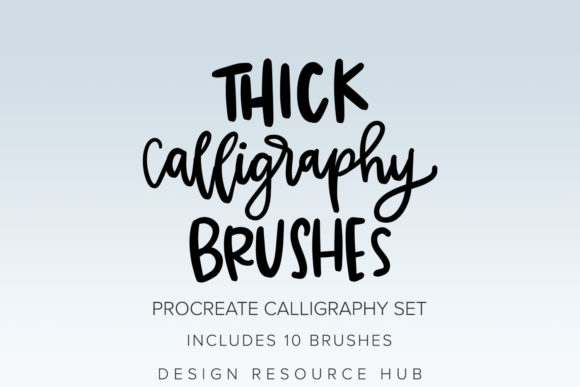
Introducing the Thick Calligraphy Brushes Procreate Brush Set, a curated collection designed specifically for the nuances of digital lettering. This set includes 10 distinct brushes, each handmade and engineered to replicate the weight, texture, and flow of heavy ink strokes. Unlike generic digital tools that often feel sterile or uniform, these brushes are created with the Apple Pencil’s pressure sensitivity in mind. To get the full value out of the brushes in this set, using an Apple Pencil is not just recommended—it is integral to the experience. The technology allows for dynamic line variation, meaning the harder you press, the thicker the stroke, mimicking the natural behavior of a broad-nib calligraphy pen or a heavy marker.
The Shift Toward Authentic Digital Hand-Lettering
In today’s visual culture, authenticity is a currency. Consumers and clients alike are moving away from overly polished, corporate-standard fonts in favor of designs that feel human, organic, and intentional. This trend is evident across social media branding, packaging design, and editorial layouts. The rise of Thick Calligraphy Procreate Brushes responds directly to this market preference. Designers are no longer satisfied with static typefaces; they want lettering that breathes, varies in opacity, and carries the subtle imperfections of a human hand.
This shift is not merely aesthetic; it is functional. Modern workflows demand speed without sacrificing quality. Traditional calligraphy requires significant setup time, specialized papers, inks, and scanning processes to digitize the final result. By contrast, using a dedicated brush set within Procreate eliminates these friction points. Artists can sketch, refine, and export high-resolution assets in a single session. The integration of handmade digital brushes bridges the gap between the tactile satisfaction of analog art and the flexibility of vector-like editing capabilities found in raster-based apps like Procreate.
Understanding the Toolset: Precision and Pressure
It is crucial to understand the technical specificity of this tool. These brushes are handmade and created specifically for use with the Procreate app on iPad. They are not suitable for Adobe Photoshop, Clip Studio Paint, or any other application. This exclusivity ensures that the brush engines are optimized for Procreate’s unique rendering capabilities, particularly its handling of Apple Pencil data. The brushes stamps in this set are created with Apple Pencil pressure in mind. If you attempt to use a finger or a generic stylus, you will miss the nuanced response that defines high-end calligraphy.
The set includes 10 brushes, each offering a slightly different character. Some may provide a cleaner edge suitable for modern minimalism, while others might offer a textured, dry-ink look ideal for vintage or rustic branding. This variety allows creators to build a cohesive visual identity without needing to switch between multiple apps or tools. A basic knowledge of Procreate is recommended, but not required. The interface is intuitive, and the immediate feedback loop of seeing your stroke appear on screen helps beginners learn the mechanics of pressure control rapidly.
Practical Applications for Professionals and Entrepreneurs
The versatility of Thick Calligraphy Procreate Brushes extends far beyond personal art projects. For entrepreneurs and small business owners, these tools offer a cost-effective way to develop distinctive brand assets. Consider the following practical applications:
- Logo Designs: Custom lettering creates a unique brand mark that cannot be replicated by standard fonts. Using thick calligraphy brushes allows for bold, memorable logos that stand out in crowded marketplaces.
- Posters and Event Marketing: Whether promoting a local workshop, a music festival, or a product launch, hand-lettered posters convey energy and excitement. The thick strokes ensure readability from a distance while maintaining artistic flair.
- Branding Items: From business cards to packaging labels, consistent use of custom calligraphy establishes a premium feel. The ability to tweak individual letters means you can perfect the kerning and spacing to fit any layout constraint.
- Social Media Content: In an era where scroll-stopping visuals are critical, custom quotes and announcements created with these brushes can significantly increase engagement rates.
For freelancers and agencies, incorporating these brushes into their toolkit can streamline client deliverables. Instead of outsourcing hand-lettering to a specialist, generalist designers can produce high-quality typographic elements in-house, reducing turnaround times and costs.
Evolving Creative Habits and Technology
The adoption of tools like the Thick Calligraphy Brushes Procreate Brush Set reflects a broader evolution in creative habits. We are seeing a convergence of disciplines. Graphic designers are learning to draw; illustrators are learning typography. The barrier between these fields is dissolving, thanks to versatile digital tools. This cross-pollination leads to more innovative design solutions. A marketer who can create their own custom headers has a distinct advantage in content creation. An educator who can hand-letter key concepts can make learning materials more engaging and personalized.
Furthermore, the technology behind the Apple Pencil and Procreate continues to improve. Latency is virtually non-existent, and pressure curves are more responsive than ever. This technological maturity means that digital tools are no longer seen as "compromises" compared to traditional media. They are viable, professional alternatives. The handmade nature of these specific brushes respects this maturity. They are not algorithmic approximations; they are crafted by artists who understand the weight and balance of a stroke, translated into code for the digital age.
Getting Started: Recommendations for Best Results
To maximize the potential of these 10 brushes, consider the following recommendations. First, always ensure your Procreate app is updated to the latest version to support all brush engine features. Second, invest time in calibrating your Apple Pencil settings if necessary. While the defaults are excellent, slight adjustments to pressure sensitivity can tailor the experience to your personal drawing style.
Experiment with layer blending modes. Thick calligraphy often looks striking when overlaid on textured backgrounds or when used with multiply modes to simulate ink soaking into paper. Do not hesitate to combine different brushes from the set within a single word or phrase. Using a thinner brush for secondary details alongside the thick primary strokes can add depth and hierarchy to your composition.
Remember, these brushes stamps are great for creating custom artwork on Procreate, but they require practice. Start with simple shapes and monograms before tackling complex phrases. Observe how the ink builds up at the corners of turns and how it tapers at the end of a swift stroke. Understanding these physical behaviors will help you mimic them digitally with greater accuracy.
The Future of Digital Typography
As we look forward, the demand for personalized, hand-crafted digital content shows no signs of waning. If anything, as AI-generated content becomes more prevalent, the value of human-made, intentional design increases. Tools like Thick Calligraphy Procreate Brushes empower creators to maintain that human touch. They allow for expression that is both efficient and deeply personal.
For the modern creator, whether you are a seasoned professional or a curious hobbyist, integrating these specialized tools into your workflow is a strategic move. They offer a bridge between tradition and innovation, allowing you to produce work that is not only visually compelling but also technically robust. By leveraging the specific capabilities of the iPad and Apple Pencil, you unlock a level of expressive potential that was previously inaccessible to many. Embrace the thickness, respect the pressure, and let your digital ink flow with purpose.